New Check-in Update: Two-Sided ID Uploads, Better Camera Capture, and Clearer Validation
We just released a major upgrade to the HostPass check-in flow to improve accuracy, reduce guest confusion, and better support national ID formats that require both sides of a document.
What is new
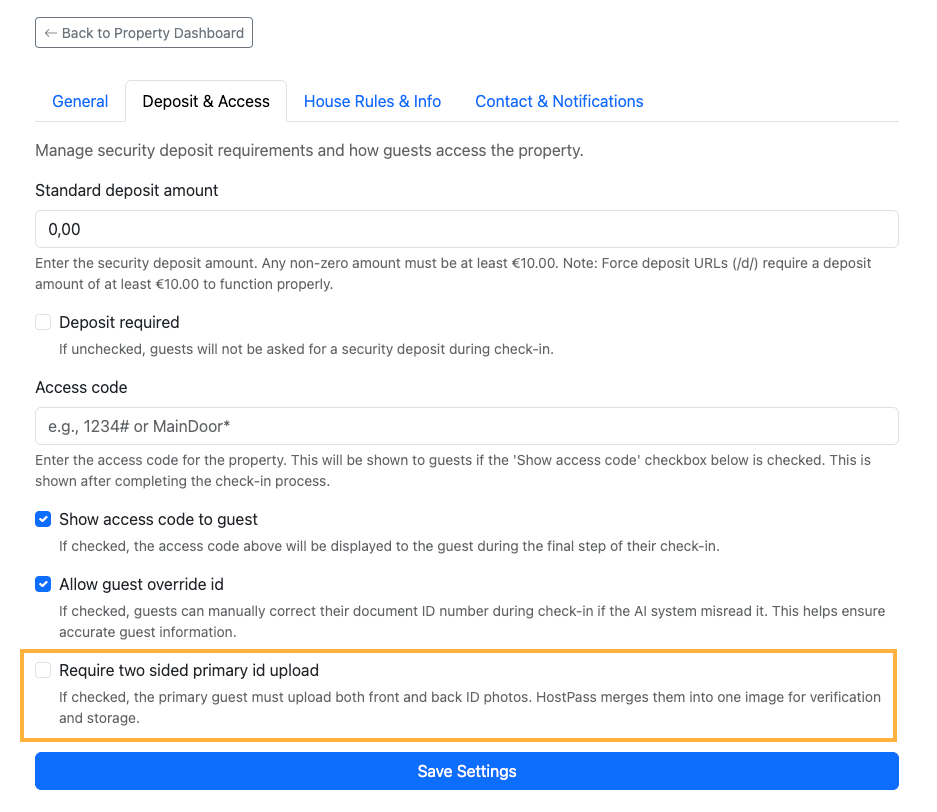
1. Optional Two-Sided ID Upload (Per Property)
Property managers can now enable a setting that requires the primary guest to upload:
- Front side of the ID
- Back side of the ID
This is configured from Property Settings -> Deposit & Access.
2. Front + Back Are Merged Into One Verification Image
When two-sided upload is enabled:
- HostPass automatically combines both images into one optimized image
- The LLM verification runs once on that merged image
- Only the merged image is stored as the canonical ID image
This keeps processing simple while preserving all document information in one place.
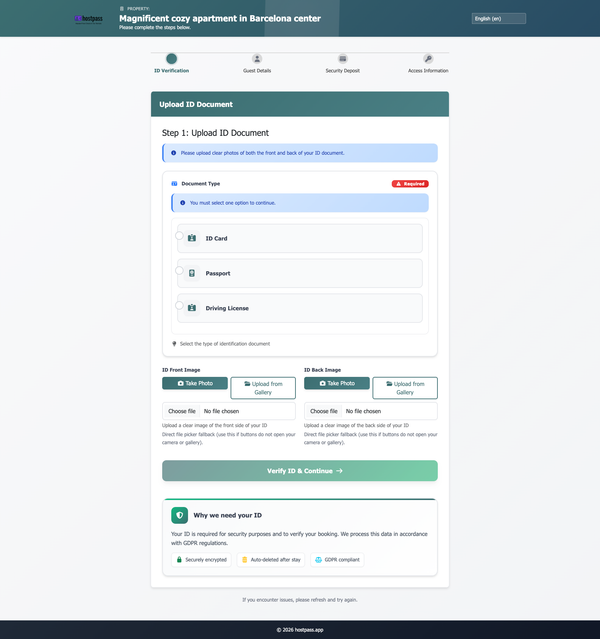
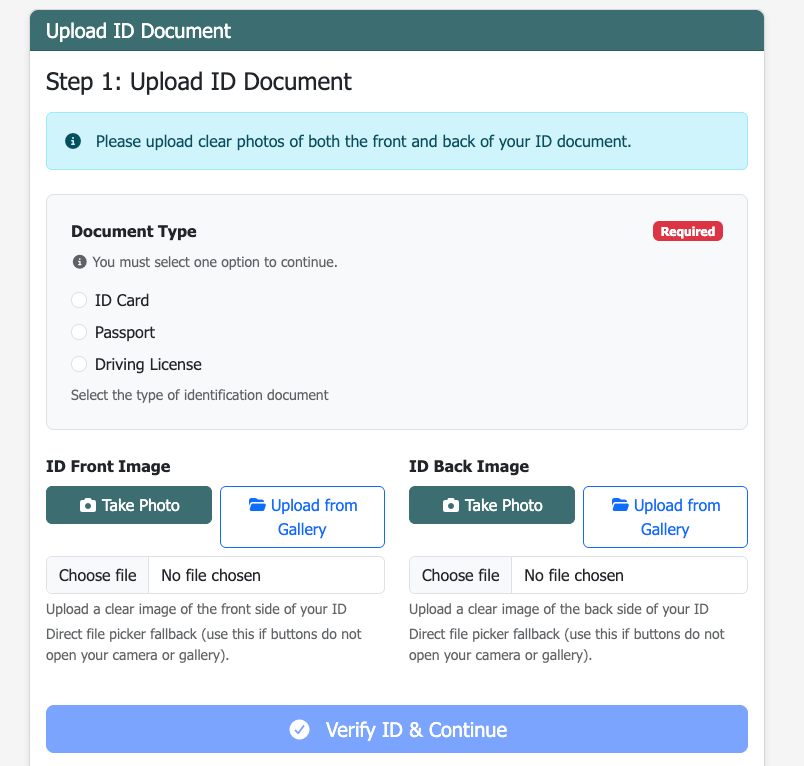
3. Improved "Take Photo" Experience in Two-Sided Mode
We upgraded the capture flow in two-sided mode to use direct in-page camera capture:
- More reliable than browser-dependent file-picker behavior
- Separate capture actions for front and back
- Immediate preview after each capture
4. Document Type Selection Is Now Clearly Mandatory
The Document Type section (ID Card / Passport / Driving License) is now much more visible:
- Highlighted container with background and border
- Explicit Required badge
- Clear helper text that selection is mandatory before continuing
Why this matters
These improvements help:
- Regions where ID data is split across front/back sides
- Hosts who need cleaner, more complete ID records
- Guests complete check-in faster with less confusion
Rollout behavior
- Existing properties keep current behavior by default
- Two-sided primary ID upload is off by default
- Hosts can enable it property by property
If you want this enabled globally across your portfolio, you can turn it on for each property from the settings page.